Free Stick Figure Animator in Your Browser
Stick Studio Pro is a stick figure animation maker that runs entirely in your web browser. There is nothing to download or install, and you do not need any drawing skills. You pose a figure on the canvas, snap each pose as a keyframe, and play the frames back as a moving animation. When you are happy with it, you export it as a video or a GIF.
Stick figure animation is one of the simplest ways to learn how movement works. Because a stick figure is just a few lines and joints, you can focus on timing and posing instead of detailed artwork. That is why it is popular with students, teachers, hobby animators, and YouTube creators who want to tell a story or show a fight scene without a big production.
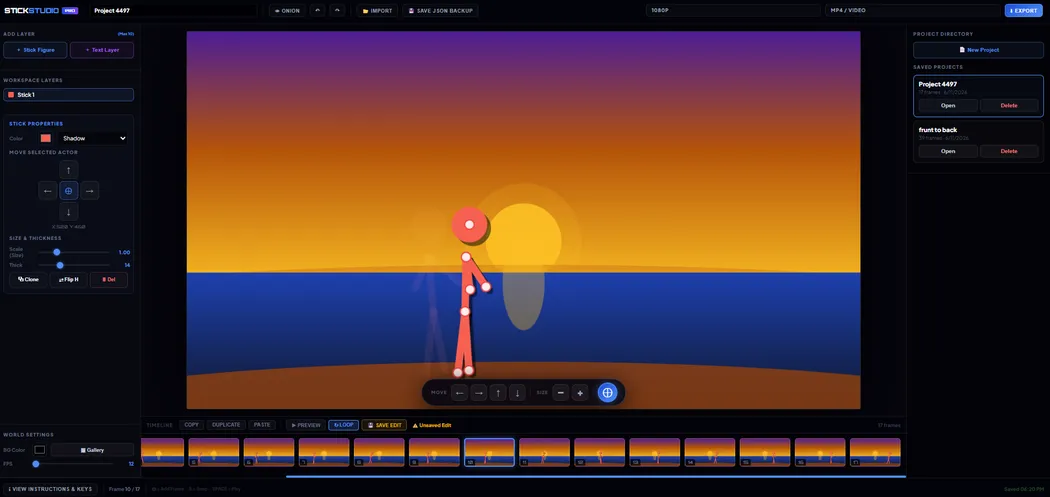
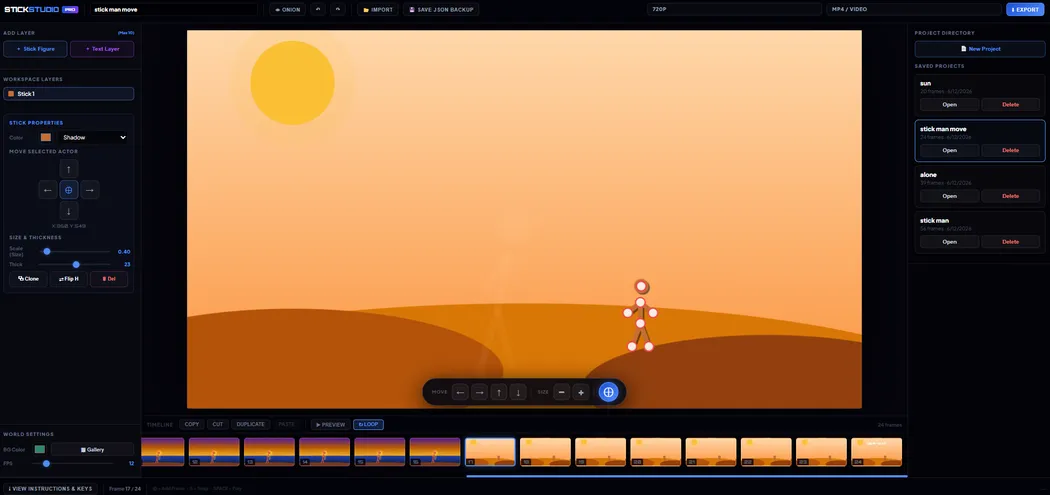
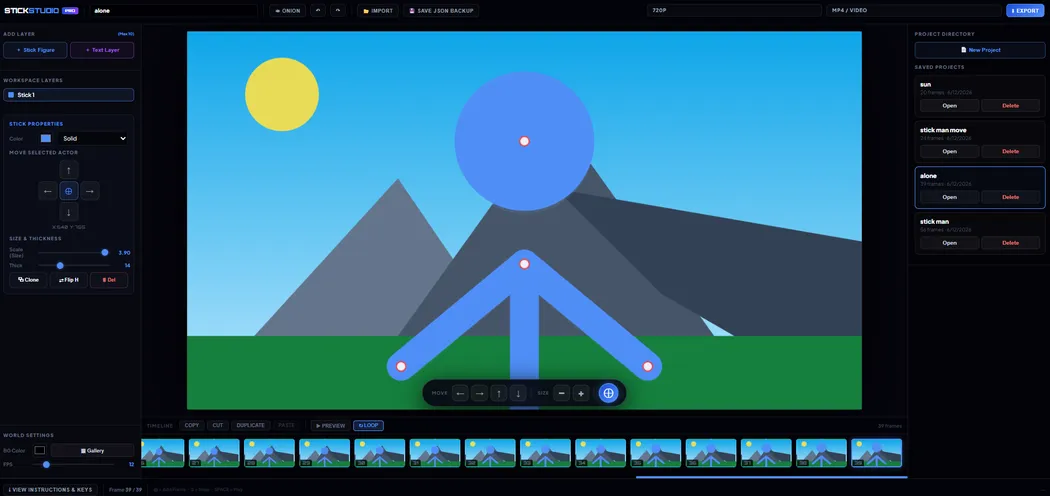
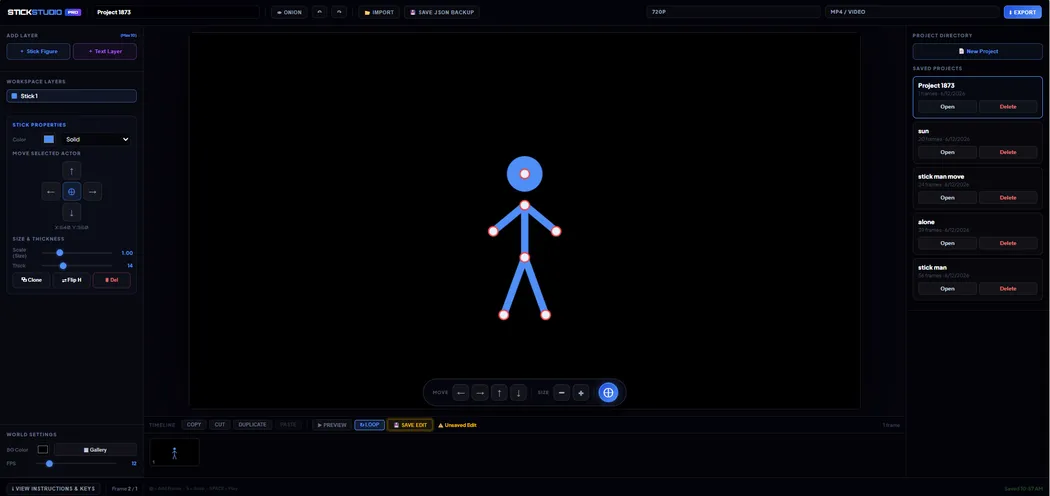
The editor above gives you everything you need to start: up to several actors on screen, adjustable line thickness and figure size, custom colors, background images, onion skinning, a frame timeline, and a project library that keeps your work organized.
How to Make a Stick Figure Animation, Step by Step
Step 1: Set up your scene. Choose how many actors you want with the plus and minus buttons at the top. Pick a stick color and a background color, or upload your own background image. Set the thickness and size sliders so your figure is easy to see.
Step 2: Pose your figure. Click and drag any joint on the canvas to move an arm, leg, or the whole body. Start with a simple standing pose. A good first animation is a short walk or a wave, because both use only a few joints.
Step 3: Snap a frame. When the pose looks right, press the Snap Frame button or the S key. This saves the pose as a frame on the timeline at the bottom of the editor. Each frame is a snapshot of every actor's position.
Step 4: Change the pose a little and snap again. Small changes between frames make smooth motion. If you move a limb too far in one step, the animation will look jumpy. Add more frames in between to slow the movement down and make it feel natural.
Step 5: Preview your work. Press the Preview button or the Space bar to play the animation. Watch it a few times. If one pose looks wrong, click its frame on the timeline, fix the pose, and snap it again.
Step 6: Save and export. Give your project a name and save it to the Project Library so you can come back to it later. When you are ready to share, choose a resolution and a format, then export an MP4 or WebM video, or a GIF for chats and social media.
Tips for Smoother Stick Figure Animation
Use onion skinning. Turn on the Onion toggle to see a faint ghost of the previous frame behind your current pose. This lets you see exactly how far each joint has moved, so your spacing stays even from frame to frame.
Learn the walk cycle. A walk is a loop of four main poses: the contact pose where the front foot lands, the down pose where the body sinks slightly, the passing pose where one leg swings past the other, and the up pose where the body rises. Animate these four poses and repeat them, and you have a walking figure you can reuse in any scene.
Pick a sensible frame rate. The FPS slider controls how many frames play per second. Around 12 frames per second is a classic choice for hand-drawn style animation, and it gives a pleasing, slightly snappy feel. Raise it toward 24 or 30 for smoother, more fluid motion, but remember that you will need more frames to fill the same amount of time.
Try the Smooth option. The Smooth checkbox blends between your keyframes so the movement flows instead of jumping from pose to pose. It is a quick way to make a rough animation look more polished.
Exaggerate your poses. Real animators push their poses further than real life. A punch with a big wind-up, a jump with a deep crouch first, or a head that leans well back before a laugh all read more clearly on screen than a realistic, small movement.
Save often. Projects are stored locally, so save whenever you finish a section. Use Ctrl+S as a shortcut, and keep a backup of any animation you care about.
Free Plan and Pro Plan
The free studio on this page is all you need to learn animation and make short clips. You can pose figures, build a timeline, preview your animation, save projects, and export video at 480p or 720p, or as a GIF.
Pro Studio is for people who want more control. It adds 1080p export, instant export with no cooldown, up to 10 layers for actors and text, undo and redo, copy, cut and paste for frames, text layers with more than 25 fonts, 15 scene backgrounds, JSON project backups, and a full set of keyboard shortcuts. Pro costs $4.99 per month or $39 per year, and students and schools can get a discounted plan.
Who Uses a Stick Figure Animator?
Students use stick figure animation for school projects, such as showing a science process, retelling a story, or explaining a math idea in motion. Teachers use it to introduce animation in the classroom because it is quick to learn and needs no special software.
Hobbyists and video creators use it to make short films, fight scenes, jokes, and music-driven clips. If you have used desktop tools like Pivot Animator before, you will find the same pose-and-snap workflow here, with the advantage that it works in the browser on any computer.
Frequently Asked Questions
Is Stick Studio Pro really free?
Yes. The studio on this page is free to use, and you do not need an account to start animating. Pro is an optional upgrade for extra features.
Do I need to download anything?
No. Everything runs in your browser. Open the page, start posing, and export when you are done.
What formats can I export?
You can export a video as MP4 or WebM, or export a GIF. MP4 works almost everywhere, while GIFs are handy for short loops you want to share in messages.
Where are my projects saved?
Projects are saved in your browser through the Project Library. Clearing your browser data can remove them, so save often and keep backups of important work.
Can I use more than one character?
Yes. Use the Actors buttons at the top of the editor to add more figures, which is perfect for conversations and fight scenes.
Does it work on a phone?
The studio is designed for a larger screen, so a laptop, desktop, or tablet will give you the best experience. You can still preview and share finished animations anywhere.